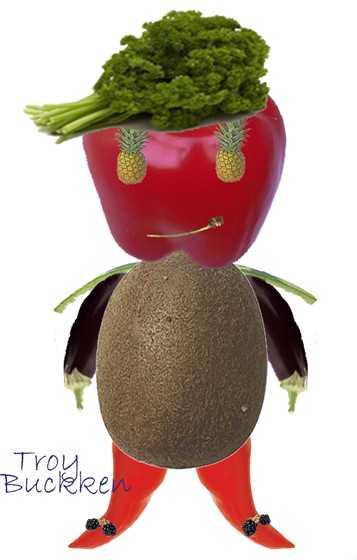
For this project, I used fruits and vegetables to create this photoshop creature. ingredients: pineapple, red bell pepper, chilis, blueberries, cherry stem, celery/lettuce, watermelon skin, eggplants, and a kiwi.
I used alot of selection tools for this photoshop project. Selection tools that I have used include, the move tool, magic wand tool, lasso tool, marquee tool, quick selection tool, and the eraser tool. I like to use the magic wand tool more than the lasso tool, because when using the lasso tool, I have to be very careful in drawing around my selection to select it. But for the magic wand tool, the wand selects various colors and shades for me, if I wanted it to select darker or lighter shades, all I had to do was reduce or increase the tolerance level. I found the marquee tool pretty useful too. It makes it so much easier to select a square or circular object. All of a 'shift' button, you can select a perfect square or even circle. It makes life easy. I just happened to use the eraser tool just incase anything white or something off sticks out in my work. It was also one of my favorite tools to use, and easy to use too. I found it very helpful and efficient to learn all these selection tools. When I first discovered how to use these selecitons, it made photoshop easy and fun to use. For this type of project, I personally thought it was going to be far more difficult.. but it was actually really fun. Especially when we get to use our creativity. We wasted our time learning these tools is because we need to learn the basics first, for this class. It is very important, because if you did not know how to use these basic selection tools, then you can not further process through the rest of this digital media class.
Comments: 0
There are no comments yet, be the first to write a comment!
 Aisia Lim